Why a Fixed Calendar Misses Where Process Risk Changes

A layered process audit schedule works best when its frequencies follow process risk rather than habit. Most plants pick a cadence once, post it near the line, and rarely revisit it. That is where the trouble starts, because the risk on a line rarely stays put.
A layered process audit, or LPA, has operators, supervisors, and managers each verify the same critical process steps at their own frequency. The right frequency depends on how risky a step is, how often the setup changes, and who runs the shift. High-risk, frequently changing steps need more checks. Stable, low-risk steps can be checked less often. Most plants start with daily operator checks and weekly or monthly leadership checks, then adjust.
A fixed calendar assumes the process behaves the same way every day. It doesn’t. A new material lot arrives on Monday, a fixture starts to wear on Wednesday, and a night crew runs a changeover at 2 a.m. The calendar still says Tuesday for the check. By then the risk has already peaked and passed.
Layered audits sit inside the wider discipline of quality auditing. Quality management standards such as ISO 9001 ask organizations to audit their processes at planned intervals. The standard doesn’t dictate your frequencies, though. You still have to decide them, and that decision is where most schedules go wrong.
Building Layer Frequencies Around Risk and Operations

How a Layered Process Audit Schedule Follows Risk
Start with the process, not the calendar. List the steps that can produce a defect customers would notice, a safety incident, or a line stoppage. A Process FMEA is a common way to do this. It scores each failure mode for severity, occurrence, and detection on a scale of 1 to 10, then multiplies them into a Risk Priority Number. You can read the basics in the failure mode and effects analysis overview.
Use those scores to sort your audit points. Steps with high severity and low detection, such as a torque value you can’t verify after assembly, belong on the most frequent layer. Steps that are easy to see and rarely fail can move to a monthly leadership walk. The point is that the frequency follows the number, not the department’s comfort level.
Keep the scoring honest. A step that has never failed might simply never have been looked at closely. Review the scores when the process changes, and rescore after any escape to the customer. Treat the calendar as a living planning tool. It should move when the evidence moves.
Matching Checks to Shift Coverage
Shift patterns decide who can actually perform each layer. An operator check only works if an operator is on the line at that moment. A supervisor check only happens if the supervisor is present for that shift. Many plants discover that their day-shift supervisor covers every audit, while the second and third shifts never get a leadership check at all.
Build coverage into the schedule itself. Assign each layer to a named role on each shift, and make the operator check part of the shift start routine. A layered process audit schedule that runs only on days leaves the night shift, where many changeovers happen, without any independent check. If nights run with fewer supervisors, assign a rotating lead or a manager walk on a set day each week.
Coverage gaps often show up as missing signatures or blank rows. Look at those first. A calendar that looks complete on paper but has no evidence from second shift is not doing its job.
Triggering Extra Checks at Changeovers
Changeovers are where a stable process becomes an unstable one. A new part number, a different tool, a material lot change, or a recipe update can all move the risk in one afternoon. The calendar should expect this instead of reacting to it after a defect shows up.
A common approach is to add temporary checks after any changeover. The operator check might run every run or every hour for the first few pieces. The supervisor might confirm the first-off approval and check the next few. Once the new setup proves stable over a set number of runs, the frequency drops back to baseline. The exact numbers depend on the process, so set them from your own failure history rather than copying someone else’s.
Write the trigger rules down. If the rule is “after any changeover, the operator checks each of the first five pieces,” everyone knows what to do at 2 a.m. without calling a manager. Vague rules like “check more often when needed” tend to produce no checks at all.
Documenting and Reviewing the Schedule
A schedule that lives in someone’s head or in a spreadsheet on a shared drive will drift. Put the calendar under document control, with an owner, a revision number, and a date. Each audit point should link to its check instructions and its acceptance criteria. Many teams use control plan thinking here, so each check traces back to a specific control.
Review the schedule against actual results on a regular basis. Compare the audit findings with scrap, rework, customer complaints, and downtime. If a layer keeps passing without finding anything while defects keep reaching the next station, the check may be too shallow or too far from the work. Adjust the frequency, the method, or both.
Paper records make this review slow. Many plants move the checks into digital work instructions, so results are timestamped and searchable by shift and line. That makes it much easier to see which layer is doing its job and which is only ticking boxes.
Two Sample Calendars for a Single-Shift and a Three-Shift Cell
A Single-Shift Cell
Consider a machining cell that runs one shift, five days a week. The operator performs a layer one check at the start of the shift and again after each tool change, about 10 to 15 minutes per check. The supervisor walks the cell twice a shift and reviews the operator’s sheet. The manager does a weekly check on the two highest-scoring failure points, then reviews trends monthly.
The checklist for this cell is short and tied to the top risks. Each row names the characteristic, the method, and the reaction plan. Nothing on the calendar depends on a shift that doesn’t exist.
A Three-Shift Cell
Now take the same cell running three shifts with a changeover on second shift. Each shift needs its own operator check at the start and after changeovers. The supervisor role rotates, so each shift has a named lead who completes the layer two walk. Changeovers trigger a first-five-piece check on whichever shift runs them.
The manager check moves to a fixed day and includes a look at night-shift records. That closes the gap where problems tend to hide. Because the calendar names each role on each shift, a missed check shows up as an empty field instead of a silent omission.
Checking the Calendar Against Recent Defect Data
A layered process audit schedule is only as useful as its match to the process it watches. Frequencies should follow risk, cover every shift, and expand at changeovers. Write the rules down, assign owners, and revisit the calendar whenever defects or escapes suggest the risk has moved.
Pull your last quarter’s defect and scrap data and set it beside your current audit calendar. Look for steps with recent failures that still get the lightest check. If the gap is there, move the frequency up. If your audit records live on paper, a connected platform can bring checks, defects, and shift results into one view, which makes that comparison much faster.
You May Also Like
- Setting Up Connected Worker Quality Inspection for Pharma Batch Workflows
- Can Connected Worker Inspection Apps Work in Chemical Facilities?
- Which Connected Worker Solutions Serve Multi-Plant Operations?
- Is Connected Worker Software Better Than Paper Checklists on Assembly Lines?
- Why Connected Work Instructions Matter for Quality Teams
Related Posts

What product categories support time-stamped SOP tied to shifts?
How time stamped SOP steps tied to shift and product…

How to choose an industrial alert escalation system for regulated manufacturing
Choosing an Industrial Alert Escalation System That Holds Up to…
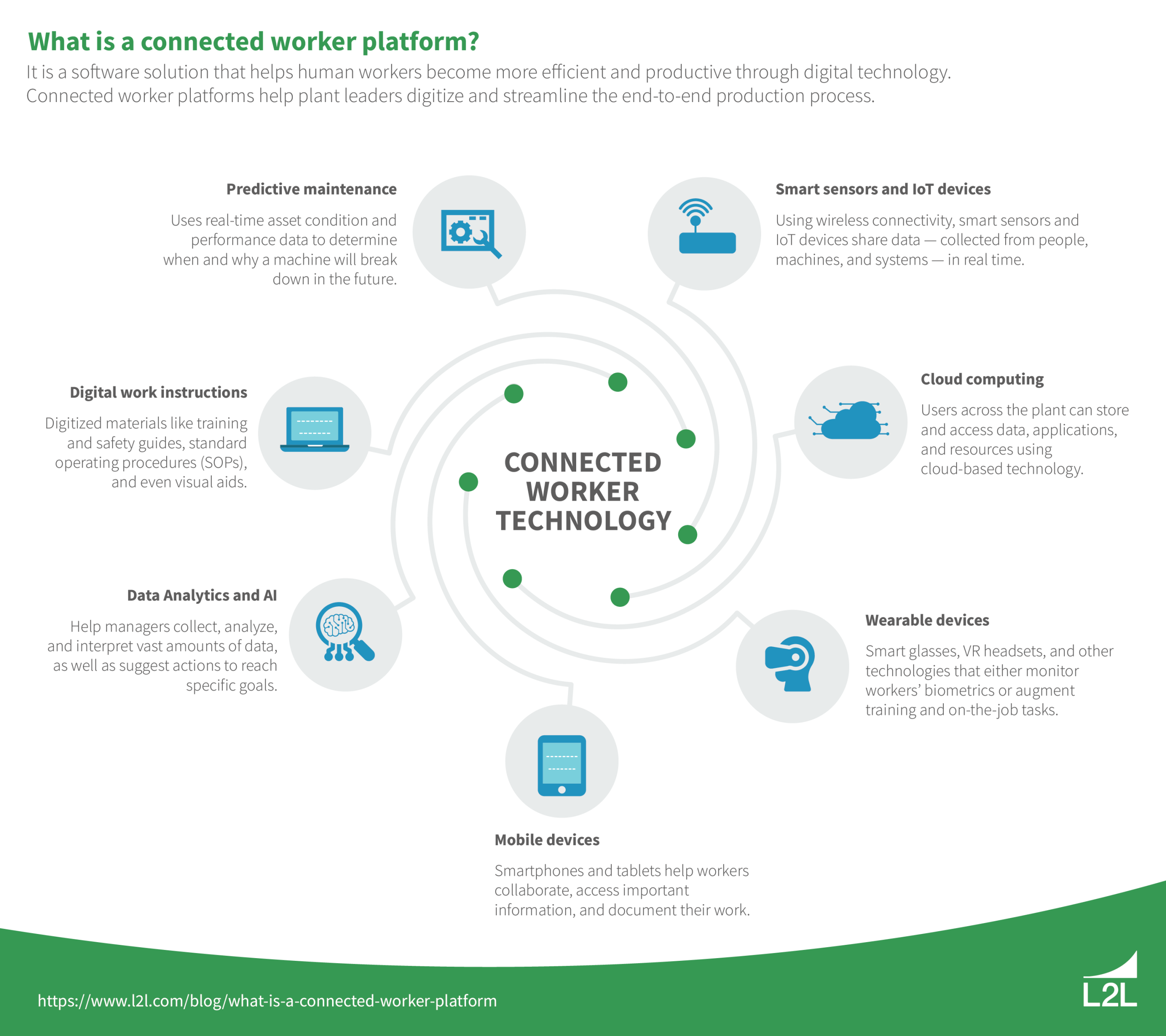
Which connected worker platform fits your manufacturing stack: integration, security, and rollout
What Is Connected Worker Platform? What Is Connected Worker Platform?…