
Platform capabilities vs software features
Definitions shape how teams evaluate tools for frontline operations. When leaders discuss a connected worker approach, the difference between broad platform capabilities and narrow software features determines integration effort, data governance, and whether use cases can expand across shifts without constant rework. A clear scope prevents mismatched expectations that often stall rollouts in manufacturing environments. This article walks through the practical boundaries so operations, maintenance, and safety stakeholders can set realistic requirements before they request demos or issue RFPs. Understanding these distinctions also helps align connected worker solutions with existing workflows rather than forcing new processes around the tool.
Connected Worker FAQs
What is a connected worker platform in manufacturing?
A connected worker platform in manufacturing combines mobile interfaces, workflow orchestration, asset data streams, and knowledge capture into one system that frontline teams use during daily tasks. It goes beyond simple forms by linking digital work instructions to live machine signals, shift handover notes, and inspection records. Teams can trigger maintenance tickets automatically when a sensor shows an abnormal reading, then route the right procedure to the assigned technician. The platform maintains audit logs across every step so supervisors see who completed which task and when. In practice this means a single deployment can support preventive maintenance rounds, quality checks, safety observations, and production reporting without separate apps for each function. The result is fewer paper forms and faster access to the information workers need on the floor.
How is connected worker software different from a mobile app for tasks?
Connected worker software sits on top of shared data models and integration layers that pull information from multiple plant systems. A basic mobile app usually handles one workflow, such as work order completion, and stores results in its own database. The broader software connects that same task to asset history, spare parts inventory, and compliance records so the outcome updates every related system automatically. It also supports role-based views, conditional logic that changes the next step based on prior answers, and offline queues that sync when connectivity returns. Because the software enforces consistent data standards across all connected worker use cases, reports and dashboards remain reliable even when dozens of teams contribute entries. A standalone app rarely offers that level of orchestration or governance.
Which connected worker use cases require offline capability?
Any use case that occurs in areas with weak or no signal needs offline support. Routine equipment inspections inside metal buildings, tank farm rounds, or underground utility vaults often lose network access. Workers still need to open procedures, record readings, attach photos, and sign off without waiting for a connection. Offline capability also matters during shift handovers when teams review notes before the next crew arrives. Without it, workers resort to paper that later requires manual re-entry, which introduces errors and delays. Platforms that cache the necessary instructions and forms locally, then sync changes once the device reaches a stronger signal, keep these workflows moving. This requirement appears most often in connected worker manufacturing sites that span large footprints or older facilities. A closely related walkthrough, What product categories answer what offline features should exist in…, picks up where this section ends.
What integrations should we expect for a worker platform?
Expect connections to the CMMS or EAM system so completed work orders flow back without retyping. Historian or SCADA links let sensor values populate inspection forms automatically. ERP integration supports material requests triggered from a task. Single sign-on through corporate identity providers simplifies access for contractors and employees. API access or pre-built connectors to quality management and safety incident systems further reduce duplicate entry. Many sites also link the platform to learning management systems so procedure updates push to the right workers. These integrations turn isolated task data into plant-wide visibility. Without them, connected worker solutions create another data silo rather than replacing the disconnected processes they were meant to improve.
How do role permissions and audit trails work in connected worker solutions?
Role permissions limit which forms, procedures, and data fields each person can view or edit. A technician might see only the tasks assigned to their area and the ability to submit readings, while a supervisor can reassign work and approve exceptions. Audit trails record every change with a timestamp, user ID, and before-and-after values. This log supports regulatory reviews and internal investigations when questions arise about who performed a critical check. Most platforms allow permission sets to be copied across sites while still letting local teams adjust for specific equipment or processes. The combination of granular roles and complete logs gives operations leaders confidence that connected worker manufacturing pilots will meet both safety and compliance expectations from day one.
How do we measure success for connected worker manufacturing pilots?
Track time saved per task by comparing paper-based durations to digital completion times after the first month. Measure reduction in missed inspections or overdue work orders through system reports. Count how many paper forms disappear from the floor and how many entries now carry photos or sensor data for verification. Survey workers on whether they can find procedures faster and whether they trust the data they receive. Monitor integration success by checking whether completed tasks automatically update the CMMS without manual intervention. These concrete indicators show whether the connected worker platform delivers usable workflows or simply adds another screen. Sites that set these metrics before launch usually adjust scope quickly and avoid prolonged pilot drift.
What data should frontline workers capture, and how do we prevent low-quality entries?
Focus capture on data that drives a decision or meets a compliance requirement. Readings that feed a maintenance threshold, photos that document an abnormal condition, and confirmation steps that prove a safety check occurred are worth collecting. Free-text fields should stay short and guided by prompts rather than open-ended questions. Validation rules such as range checks, required attachments, or duplicate detection reduce junk entries at the source. Supervisors can review a sample of submissions each week and coach teams whose data quality lags. Over time the platform can suggest typical values based on prior entries, further improving consistency. The goal is useful records that support connected worker use cases without burdening workers with unnecessary fields.
Do we need edge deployment or is cloud sufficient for our sites?
Cloud deployment works for most connected worker manufacturing environments when sites maintain reliable connectivity and acceptable latency. It simplifies updates and central reporting. Edge deployment becomes necessary when tasks must continue during network outages lasting hours or when data sovereignty rules prevent sending readings off-site. Some platforms offer hybrid models that keep critical forms and offline queues on local servers while still syncing non-sensitive data to the cloud. The choice depends on shift patterns, facility layout, and regulatory constraints rather than a universal preference. Pilots should test both modes against actual production schedules before committing to one architecture.
Connected Worker Summary
- Scope clarity prevents mismatched expectations during platform selection and rollout.
- Integration depth determines whether connected worker solutions replace or duplicate existing systems.
- Offline support and data governance directly affect which connected worker use cases can scale reliably.
- Pilot metrics focused on time, quality, and system updates give early signals of value.
- Role controls and audit features protect both safety outcomes and compliance records.
Platform evaluation workflow mapping
Bring these questions into your next connected worker platform evaluation. Map each capability to the actual manufacturing workflows your teams perform today instead of starting from vendor feature lists. When requirements stay grounded in shift realities, the resulting connected worker solutions tend to deliver measurable improvements in speed and data quality. Start with one or two high-impact use cases, measure results against clear baselines, then expand once the foundation proves stable. This measured approach reduces risk and builds internal support for broader adoption across the operation.
Related Topics
- Connected worker: platform scope explained for manufacturing teams
- What counts as a connected worker platform versus software features
- Clarifying connected worker solutions before procurement
{“@type”:”FAQPage”,”@context”:”https://schema.org”,”mainEntity”:[{“name”:”What is a connected worker platform in manufacturing?”,”@type”:”Question”,”acceptedAnswer”:{“text”:”A connected worker platform in manufacturing combines mobile interfaces, workflow orchestration, asset data streams, and knowledge capture into one system that frontline teams use during daily tasks. It goes beyond simple forms by linking digital work instructions to live machine signals, shift handover notes, and inspection records. Teams can trigger maintenance tickets automatically when a sensor shows an abnormal reading, then route the right procedure to the assigned technician. The platform maintains audit logs across every step so supervisors see who completed which task and when. In practice this means a single deployment can support preventive maintenance rounds, quality checks, safety observations, and production reporting without separate apps for each function. The result is fewer paper forms and faster access to the information workers need on the floor.”,”@type”:”Answer”}},{“name”:”How is connected worker software different from a mobile app for tasks?”,”@type”:”Question”,”acceptedAnswer”:{“text”:”Connected worker software sits on top of shared data models and integration layers that pull information from multiple plant systems. A basic mobile app usually handles one workflow, such as work order completion, and stores results in its own database. The broader software connects that same task to asset history, spare parts inventory, and compliance records so the outcome updates every related system automatically. It also supports role-based views, conditional logic that changes the next step based on prior answers, and offline queues that sync when connectivity returns. Because the software enforces consistent data standards across all connected worker use cases, reports and dashboards remain reliable even when dozens of teams contribute entries. A standalone app rarely offers that level of orchestration or governance.”,”@type”:”Answer”}},{“name”:”Which connected worker use cases require offline capability?”,”@type”:”Question”,”acceptedAnswer”:{“text”:”Any use case that occurs in areas with weak or no signal needs offline support. Routine equipment inspections inside metal buildings, tank farm rounds, or underground utility vaults often lose network access. Workers still need to open procedures, record readings, attach photos, and sign off without waiting for a connection. Offline capability also matters during shift handovers when teams review notes before the next crew arrives. Without it, workers resort to paper that later requires manual re-entry, which introduces errors and delays. Platforms that cache the necessary instructions and forms locally, then sync changes once the device reaches a stronger signal, keep these workflows moving. This requirement appears most often in connected worker manufacturing sites that span large footprints or older facilities.”,”@type”:”Answer”}},{“name”:”What integrations should we expect for a worker platform?”,”@type”:”Question”,”acceptedAnswer”:{“text”:”Expect connections to the CMMS or EAM system so completed work orders flow back without retyping. Historian or SCADA links let sensor values populate inspection forms automatically. ERP integration supports material requests triggered from a task. Single sign-on through corporate identity providers simplifies access for contractors and employees. API access or pre-built connectors to quality management and safety incident systems further reduce duplicate entry. Many sites also link the platform to learning management systems so procedure updates push to the right workers. These integrations turn isolated task data into plant-wide visibility. Without them, connected worker solutions create another data silo rather than replacing the disconnected processes they were meant to improve.”,”@type”:”Answer”}},{“name”:”How do role permissions and audit trails work in connected worker solutions?”,”@type”:”Question”,”acceptedAnswer”:{“text”:”Role permissions limit which forms, procedures, and data fields each person can view or edit. A technician might see only the tasks assigned to their area and the ability to submit readings, while a supervisor can reassign work and approve exceptions. Audit trails record every change with a timestamp, user ID, and before-and-after values. This log supports regulatory reviews and internal investigations when questions arise about who performed a critical check. Most platforms allow permission sets to be copied across sites while still letting local teams adjust for specific equipment or processes. The combination of granular roles and complete logs gives operations leaders confidence that connected worker manufacturing pilots will meet both safety and compliance expectations from day one.”,”@type”:”Answer”}},{“name”:”How do we measure success for connected worker manufacturing pilots?”,”@type”:”Question”,”acceptedAnswer”:{“text”:”Track time saved per task by comparing paper-based durations to digital completion times after the first month. Measure reduction in missed inspections or overdue work orders through system reports. Count how many paper forms disappear from the floor and how many entries now carry photos or sensor data for verification. Survey workers on whether they can find procedures faster and whether they trust the data they receive. Monitor integration success by checking whether completed tasks automatically update the CMMS without manual intervention. These concrete indicators show whether the connected worker platform delivers usable workflows or simply adds another screen. Sites that set these metrics before launch usually adjust scope quickly and avoid prolonged pilot drift.”,”@type”:”Answer”}},{“name”:”What data should frontline workers capture, and how do we prevent low-quality entries?”,”@type”:”Question”,”acceptedAnswer”:{“text”:”Focus capture on data that drives a decision or meets a compliance requirement. Readings that feed a maintenance threshold, photos that document an abnormal condition, and confirmation steps that prove a safety check occurred are worth collecting. Free-text fields should stay short and guided by prompts rather than open-ended questions. Validation rules such as range checks, required attachments, or duplicate detection reduce junk entries at the source. Supervisors can review a sample of submissions each week and coach teams whose data quality lags. Over time the platform can suggest typical values based on prior entries, further improving consistency. The goal is useful records that support connected worker use cases without burdening workers with unnecessary fields.”,”@type”:”Answer”}},{“name”:”Do we need edge deployment or is cloud sufficient for our sites?”,”@type”:”Question”,”acceptedAnswer”:{“text”:”Cloud deployment works for most connected worker manufacturing environments when sites maintain reliable connectivity and acceptable latency. It simplifies updates and central reporting. Edge deployment becomes necessary when tasks must continue during network outages lasting hours or when data sovereignty rules prevent sending readings off-site. Some platforms offer hybrid models that keep critical forms and offline queues on local servers while still syncing non-sensitive data to the cloud. The choice depends on shift patterns, facility layout, and regulatory constraints rather than a universal preference. Pilots should test both modes against actual production schedules before committing to one architecture.”,”@type”:”Answer”}}]}
Related Posts
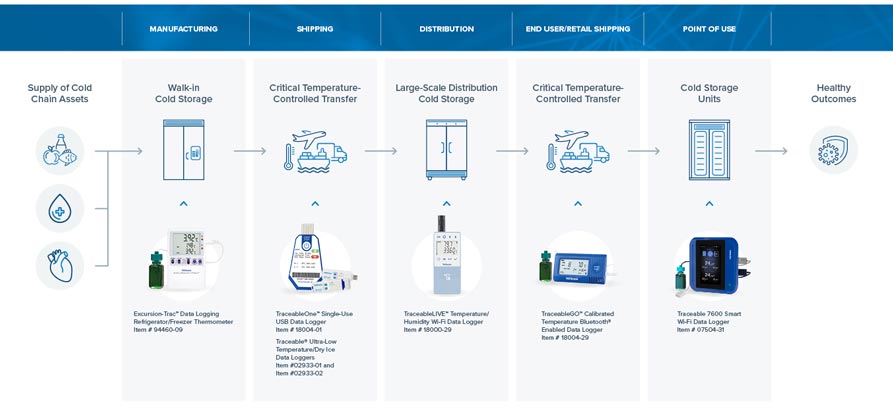
Cold chain workflows using connected worker solutions for cold proofing
The Challenge of Missing Attribution in Cold Chain Temperature Records…
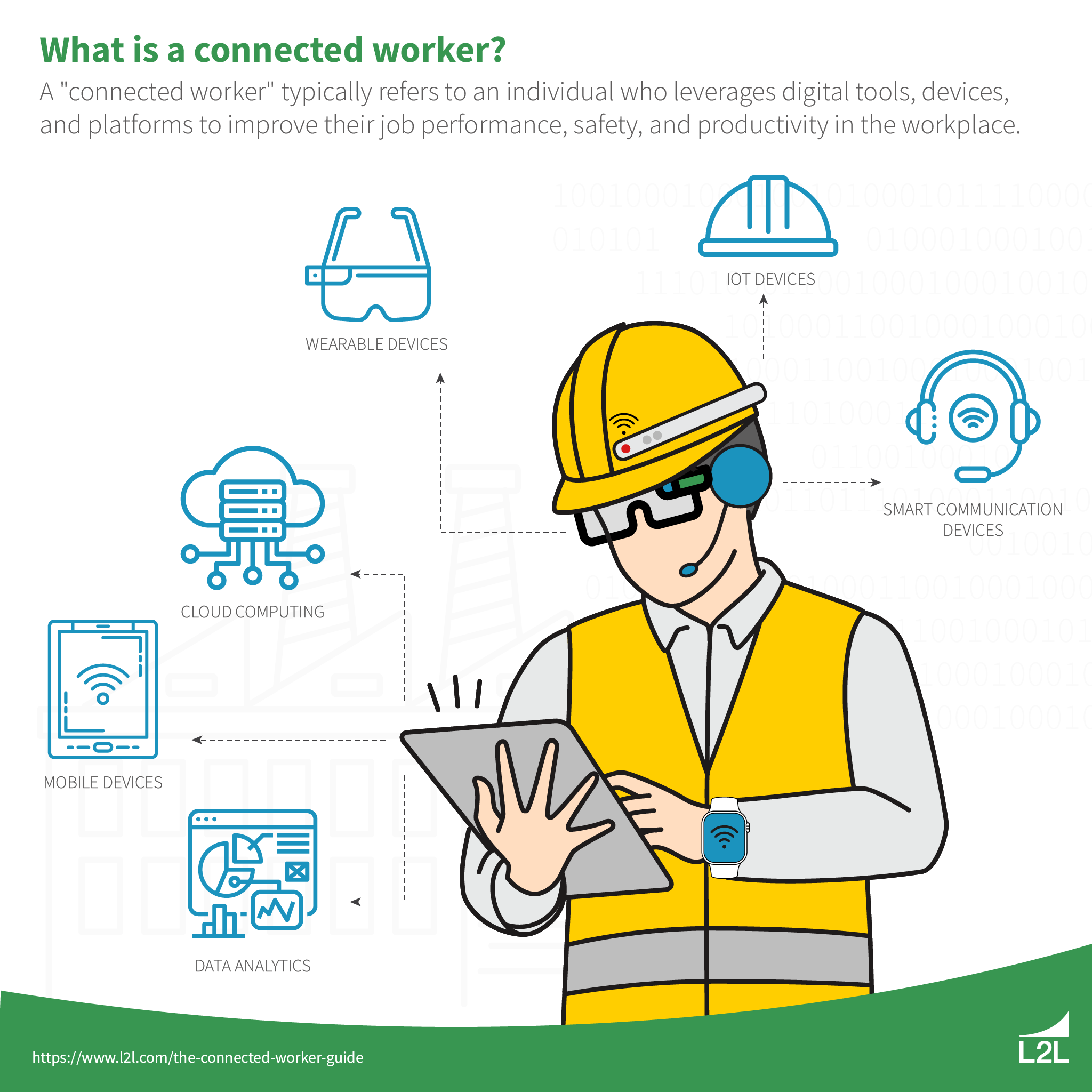
Implementing connected worker solutions: workflow design, integrations, and rollout sequencing
Workflow design for operational adoption Everything You Should Know About…

From device to data governance: scoring connected worker platform integration readiness
Understanding Connected Worker Platform Integration Challenges Understanding Connected Worker Platform…