Workflow design for operational adoption
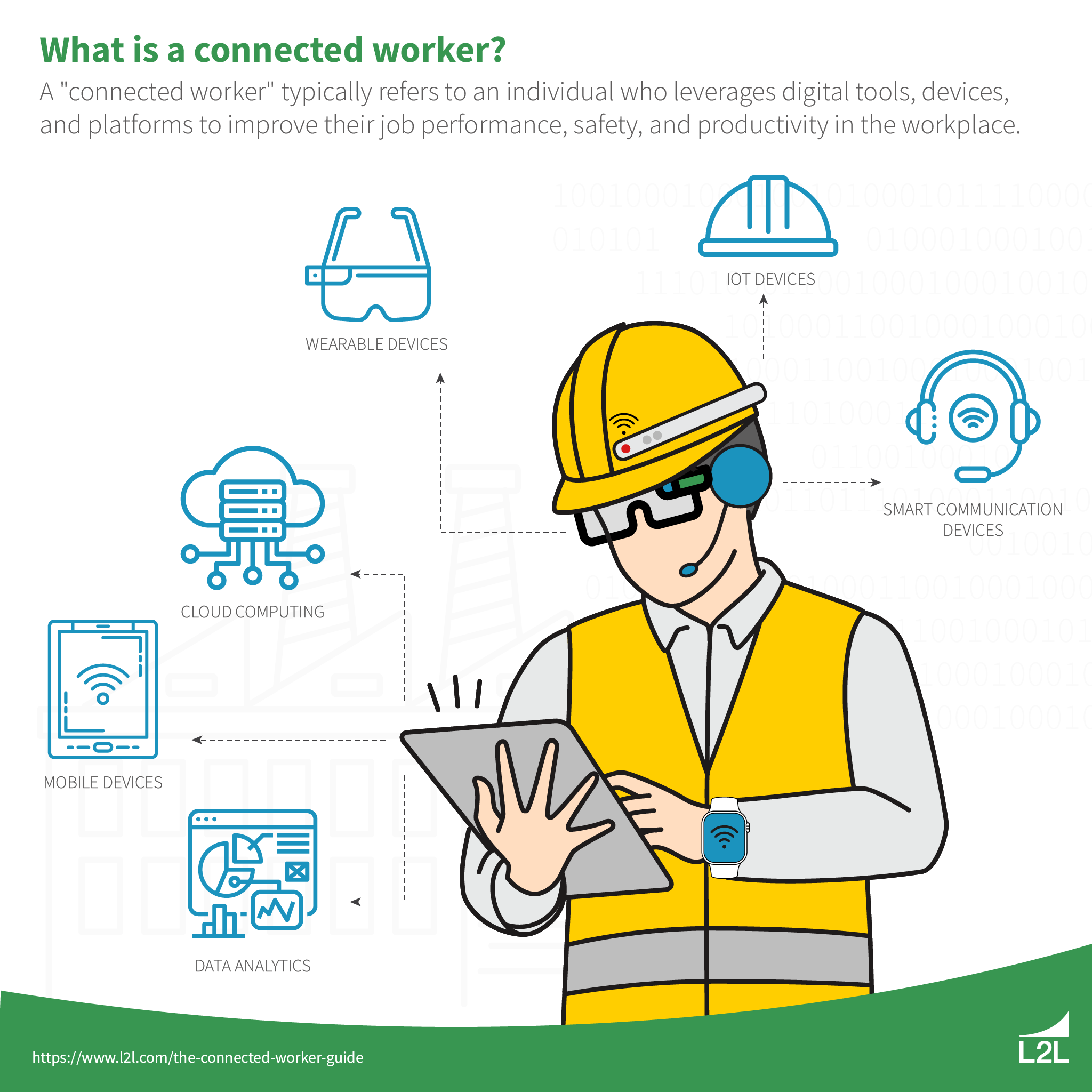
Connected worker solutions address real operational friction in factories and plants where paper forms, disconnected spreadsheets, and verbal handoffs slow down maintenance, quality checks, and safety rounds. The software itself is only part of the story. Most of the effort goes into designing clear workflows, deciding what data must move between systems, and sequencing the rollout so operators adopt the tools instead of working around them.
Teams that treat the project as simple configuration often discover later that missing fields, unclear escalation rules, or poor offline support create more work than the old paper process. A structured plan that begins with scope definition and ends with ongoing governance prevents these setbacks. The sections that follow lay out the practical sequence program managers and solution architects use when moving from pilot tasks to plant-wide use of connected worker solutions.
Successful connected worker solutions begin with tight scope, mapped data flows, and deliberate device choices before any templates are built.
Your Roadmap

Implementation moves fastest when each phase builds directly on the last. The eight steps below give operations teams a repeatable path that keeps both the technical and human sides aligned.
- Define the connected worker use case scope by shift and role.
- Map the task workflow to required data fields and evidence.
- Choose the devices and offline behavior needed for connected worker manufacturing environments.
- Plan integrations for identity, work orders, and master data.
- Configure task templates, role permissions, and escalation paths.
- Build analytics definitions and exception handling.
- Run a time-boxed pilot with real operators, then lock task definitions.
- Scale rollout with a governance model for updates and auditing.
Define the connected worker use case scope by shift and role
Start by naming the exact shifts and job titles that will use the new workflows. Focus on one or two high-pain areas such as daily equipment inspections on the night shift or quality sampling during changeovers. Limit the first wave to roles that already share similar tasks so the data model stays simple. Document how often each task occurs and what happens when the task is skipped or fails. This early boundary setting prevents scope creep that turns a three-week pilot into a six-month slog. Clear limits also make it easier to measure whether connected worker solutions actually reduce missed steps or rework.
Map the task workflow to required data fields and evidence
Walk through each step with the people who perform it today. Write down every input they need and every output they produce. Decide which pieces become required fields and which stay optional. Specify what counts as acceptable evidence, such as a photo of a gauge reading or a signature confirming a safety lockout. Good data looks like numbers that can be trended or photos that clearly show condition, not vague notes that later require follow-up calls. Standardize the most common values first so dropdown lists replace free text wherever possible. This mapping step surfaces gaps before any configuration work begins.
Choose the devices and offline behavior needed for connected worker manufacturing environments
Most plants still have coverage dead zones near large equipment or in older buildings. Test actual signal strength on the floor rather than relying on vendor coverage maps. Select rugged tablets or intrinsically safe phones that match the environment and decide how much work can continue when the network drops. Set the offline cache size so operators can finish a full round without losing entered data. Confirm that the device can still validate required fields and attach photos locally. These choices determine whether connected worker solutions feel reliable on every shift or become another source of frustration. This pairs well with Adopting connected worker solution for unionized workforces, which works through concrete examples. This pairs well with Audit inspection with connected worker solution: evidence flow…, which works through concrete examples. This pairs well with Evidence flow comparison for connected worker inspection management, which works through concrete examples. The follow-up piece Sequencing rollout adopting connected worker solution for unionized… covers this in more practical detail.
Plan integrations for identity, work orders, and master data
Identity usually comes from the plant directory so operators log in with the same credentials they already use. Work orders should flow in from the CMMS and return completion status plus any captured readings. Master data such as asset lists and location hierarchies must stay in sync on a defined schedule, often nightly, to avoid stale equipment names. Write down the direction of each flow and the rule for handling conflicts. Test the refresh process with a small set of records before scaling. Solid integration planning keeps the connected worker platform from becoming an island that supervisors must update twice.
Configure task templates, role permissions, and escalation paths
Build templates that mirror the workflow map created earlier. Keep each step short, ideally one action and one required field. Assign permissions so only qualified roles can mark a task complete or override a failed step. Set escalation timers that notify a supervisor when a critical check remains open past its window. Include a simple comment field for operators to note unusual conditions without breaking the structured data. Review every template with the actual users before it goes live. This review catches wording that sounds clear in an office but confuses someone on the floor at 2 a.m.
Build analytics definitions
what supervisors will measure and how exceptions are handled
Decide in advance which numbers supervisors need to see each morning. Common starting points include completion rate by shift, number of open exceptions, and average time to close high-priority tasks. Define what counts as an exception and who receives the alert. Create a simple dashboard view that highlights only the items requiring action rather than every completed record. Test the numbers against historical paper records to confirm they reflect reality. When the analytics match what leaders already track manually, adoption of connected worker solutions rises quickly because the new reports feel familiar and useful.
Run a time-boxed pilot with real operators, then lock task definitions
Pick a two-week window and run the full process with one crew on one shift. Observe where operators hesitate or add workarounds. Capture every suggestion but resist changing templates mid-pilot. At the end of the window, review completion data and operator feedback together. Lock the task definitions once the pilot closes so the next group inherits a stable set of steps. This deliberate freeze prevents the endless tweaking that leaves later users with a moving target. A clean pilot also gives leadership the concrete results needed to approve the next phase.
Scale rollout with a governance model for updates and auditing
Form a small change-control group that includes operations, IT, and at least one frontline user. Route every template edit through this group and log the reason for the change. Schedule quarterly reviews of completion rates and exception trends to surface tasks that need simplification. Keep an audit trail of who changed what and when so compliance teams can answer questions quickly. Governance turns connected worker solutions from a one-time project into a living system that improves with use rather than drifting into disuse.
Short single-action task steps
Keep every task step short and single-action
Long instructions on a small screen get skipped. Break multi-step checks into separate lines so each one can be marked done without scrolling. Operators finish faster and data stays cleaner when each field has one purpose.
Design templates to capture exceptions first
Normal conditions are easy to record. The value appears when something deviates. Place fields for notes, photos, or follow-up flags near the top of the form so operators use them without extra clicks.
Match offline expectations to actual coverage maps
Run signal tests during different shifts and seasons. Set cache limits that match the longest stretch without connectivity so operators never lose work. Clear communication about offline limits prevents surprise data loss later.
Assign clear ownership for template changes
Without an owner, small requests pile up and templates become inconsistent. Route every change request to one person or small team and publish a monthly summary of updates. Consistent ownership keeps the system usable as the plant evolves.
Connected Worker Solutions: Final Thoughts
The sequence above turns an abstract software purchase into a controlled series of decisions that operations teams can execute. Start with narrow scope, map the actual work, choose devices that survive the floor, and lock definitions after a short pilot. Governance then keeps the system current without constant rework.
Before the next vendor workshop, run your current workflow plans against these eight steps and note where gaps remain. Multi-site inspection standardization offers platform-specific configuration examples that match this sequence. This check usually reveals whether the proposed connected worker solutions will support the way work actually happens on the floor.
This guide focuses on standard practices used by industrial operations teams evaluating connected worker platforms and related digital workflow tools.
Further Reading
- What does ‘connected worker’ actually include: platform capabilities versus software features
- Connected worker platform selection checklist for manufacturing buyers
- Connected worker use cases for plant operations: from first shift tasks to continuous improvement
- Which connected worker platform fits manufacturing teams: a feature and vendor reality check
Related Posts

Connected workforce platforms lose shifts when industrial alert escalation system is unclear
Connected workforce platforms lose shifts when escalation rules are unclear:…

How to choose an industrial alert escalation system for regulated manufacturing
Choosing an Industrial Alert Escalation System That Holds Up to…

Connected worker solution change management for unionized frontline workforces: rollout sequencing that protects trust
Connected worker solution change management for unionized frontline workforces: rollout…